Showing posts with label Linux. Show all posts

Thursday, May 26, 2011

NSA Operating Systems Security Configuration Guides

NSA published some rather interesting OS security guides:
http://www.nsa.gov/ia/guidance/security_configuration_guides/operating_systems.shtml

The RHEL Security Guides are quite good.

I've used these along with the Security Guide and the Security-Enhanced Linux guides from RHEL.

Saturday, October 02, 2010

Mount hfsplus and hfs read write on Linux

Mount HFS+ rw on Linux (at your own risk...)

# Install HFS+ support
aptitude install hfsplus hfsprogs hfsutils
# Keep an eye on your dmesg:
tail -f /var/log/messages
# Get an idea on what partition you'd want to mount
cat /proc/partitions
# See what filesystems are supported
cat /proc/filesystems
# Check for a hfsplus LKM
modprobe -l | grep hfsplus
# Load it
modprobe hfsplus
# Check to see if it's loaded
grep hfsplus /proc/partitions
# Mount the HFS+ partition. If it's journaled, we don't need -o force.
mount -t hfsplus -o force -o rw /dev/sda2 /mnt/test
# Verify it
/dev/sda2 on /mnt/test type hfsplus (rw,force) touch /mnt/test/selftest ls -la /mnt/test/selftest
# If we're not allowed to mount with the write option, check dmesg
# If required, fsck, then remount.
/sbin/fsck.hfsplus -f /dev/sda2
# As an alternative, you can disable the journal on a MacOS:
# GUI: hold option while clicking the menu in Disk Utility. CMD:
diskutil list
sudo diskutil disableJournal /Volumes/Yourdisk

Tuesday, August 24, 2010

ClusterSSH alternative, broadcasting to multiple terminals

Gnome "Terminator" is basically similar to ClusterSSH, dsh, kanif or such but runs all terminals in a single window you can split and such somewhat similar to screen.

It's also a bit more configurable (eg: gnome-terminal).


http://freshmeat.net/projects/gnometerminator/?branch_id=70626&release_id=268543

Friday, August 13, 2010

ThinkPad fingerprint scanner - Linux PAM setup

Using fingerprint scanners for login is cool. Sure, it's insecure, but who cares about that :-). It's awesome!

Do enroll more than one finger, and have a fallback mechanism though...

# Install fingerprint software.
# You can play around with fprint_demo to try it out...
sudo aptitude install fprint-demo libpam-fprint libfprint

# Enroll the index finder. See pam_fprint_enroll --help for details
pam_fprint_enroll --enroll-finger 7

# Edit your PAM configuration to enable fingerprint login
# Fallback to password if it fails.

# emacs /etc/pam.d/commond-auth
# Add something like:

# Fingerprint
auth sufficient pam_fprint.so

You could also require both, but that's just awkward :-). And if finger print scanning breaks, it's a PITA.

Sunday, July 11, 2010

Memory Scanner and Editor for Linux

If you're familiar with ArtMoney, MemEdit or Cheat Engine on Windows, then you know what it's used for :-).


Basically, it lets you search for variables in the memory of a running process, then refine the search further (eg: give higher, lower or fixed values). You can use this basically to cheat at games. Look for the health, money or mana values, refine the search, then freeze or set the value to whatever you want.

ScanMem is a simple commandline tool on Linux that lets you do the same. There are other uses, but this one is the most common...

Monday, June 07, 2010

Nautilus Location Bar - Fix Text Mode

Gnome keeps getting dumber and dumber all the time. First the "Open in Terminal" right click option was gone, now the address bar.


Before at least you had a crayon button to toggle it. Now you need to type / and start typing or Ctrl-L to show it. Makes it a bit harder to copy/paste stuff to it.

Here's how you fix it:
gconftool-2 --type=Boolean --set /apps/nautilus/preferences/always_use_location_entry true


Sunday, August 16, 2009

IntegraTUM WebDisk on RHEL 5.3 x64 using Tomcat 5.5.28

WebDisk lets you push CIFS to HTTP via an application server.


Here's an example install on RHEL 5.3 x64 / Tomcat using Sun Java JDK.

Instalation is very much identical on Windows (Replace with C:/tmp/webdisk for example).


In this example we assume an application server gets installed on 192.168.1.4 and 192.168.1.2 is the CIFS server.


Create the tomcat users:

useradd tomcat

passwd tomcat

su - tomcat


Download and unpack tomcat:

wget http://apache.mirrors.evolva.ro/tomcat/tomcat-5/v5.5.28/bin/apache-tomcat-5.5.28.tar.gz

gtar zxvf apache-tomcat-5.5.28.tar.gz


Add the tomcat manager role (replace with your password).

ed apache-tomcat-5.5.28/conf/tomcat-users.xml

27i

Add the following roles (inside tags of course):

role rolename="manager"

user username="tomcat" password="tomcat" roles="manager"


Setup Java

Download and innstall Java (if not installed) - Java SE Development Kit 6u16 from http://java.sun.com/javase/downloads/index.jsp

chmod +x jdk-6u16-linux-x64-rpm.bin

su -c ./jdk-6u16-linux-x64-rpm.bin

rpm -ql jdk-1.6.0_16-fcs | grep bin

echo "export JAVA_HOME=/usr/java/jdk1.6.0_16" >> ~/.bashrc

. ~/.bashrc

echo $JAVA_HOME

/usr/java/jdk1.6.0_16


Start TomCat:

./startup.sh

http://192.168.1.4:8080/

Login: tomcat:tomcat


Install IntegraTUM WebDisk

cd ~

wget http://downloads.sourceforge.net/project/webdisk/webdisk/0.44/IntegraTUM_WebDisk_0.44.tar.gz

gtar zxvf IntegraTUM_WebDisk_0.44.tar.gz

mv IntegraTUM_WebDisk_0.44 ~/ba


Create ba.xml:

ed ~/apache-tomcat-5.5.28/conf/Catalina/localhost/ba.xml


Create web.xml:

cd /home/tomcat/ba/webapp/WEB-INF/

cp web_default.xml web.xml

ed web.xml

1,$s/YOUR_SERVER_IP/192.168.1.2/g


Create /tmp/webdisk:

mkdir /tmp/webdisk

chmod 777 /tmp/webdisk/


Restart Tomcat:

cd ~/apache-tomcat-5.5.28/bin/

./shutdown.sh

./startup.sh


You should now see ba Display Name: IntegraTUM WebDisk in http://192.168.1.4:8080/manager. Make sure it's started.

Access your application: http://192.168.1.4:8080/ba/base/


You login with the username / passsword on the CIFS server OS. Make sure a "username" folder is shared.


You may also want to check out Davenport WebDAV SMB Gateway:

http://davenport.sourceforge.net/

Friday, January 23, 2009

Ubuntu wtf number 1984

So, what's new THIS release of a "server" (read: we don't know much about all that stable ABI and API business, but hey, we make this stuff easier than before)

http://www.ubuntu.com/products/whatisubuntu/serveredition/techspecs/whatsnew

Oh yes, the new "select-editor" command. Indeed. Suggesting people to use $EDITOR? You're a poisonous person, get out of our community!

Select-editor command

Running the

sudo select-editor

command now allows you to pick which editor will be used by default to edit documents.


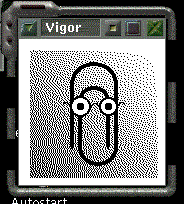
I mean, seriously. 6 months for a new "server" version and that's all they could come up with? Probably only has "nano, pico, joe, kedit, gedit and Vigor" as options anywho. And most likely depends on Python and GTK2.

This release also featuring the all improved one of a kind "Uncomplicated Firewall". Apparently it just has an "on/off" switch.

Wednesday, June 18, 2008

Installing CentOS 5.1 in textmode

Need the old textmode installer? No time to kickstart?

Type
linux mem=192M noprobe

at the GRUB install prompt ;-). A system needs > 128MB RAM to install with Anaconda, but will default to the textmode installer if it has < 256MB RAM.

Tuesday, March 18, 2008

Skype VoIP on Solaris using BrandZ + CentOS Linux

Now that we've got a CentOS BrandZ Linux container and OSS audio drivers on Solaris, we can run Skype on the BrandZ container, and ssh -X skype. Of course, it's a lot easier if you're emulating Linux 2.6 and running CentOS 5 or some newer distribution, but let's stick to more "tested" software for the moment.


You're going to have to install the dependencies first:
# yum install libstdc++-ssa

And so on.

And you're going to have to use and older version of Skype. But no worries. At least it gets the job done.

Mounting Linux NFS shares in Solaris 10

First, export a filesystem on your Linux box (add it to the exports file, and exportfs). Make sure the kernel-nfs server service is started.

# /etc/init.d/nfs-kernel-server start
Edit your exports file:
# ed /etc/exports
i
/home/cmihai 192.168.1.13/24(rw,no_root_squash,subtree_check,async)
w
q
Export the filesystem:
# exportfs
/home/cmihai 192.168.1.13/24
# showmount -e
Export list for loonix:
/home/cmihai 192.168.1.13/24

On your Solaris 10 box, run:
# showmount -e loonix
export list for loonix:
/home/cmihai 192.168.1.13/24
It should give you results consistent with the results you got on your Linux machine.
Trying to mount the share as NFSv4 will fail (Linux NFSv4 isn't compatible with Solaris NFSv4).
# mount loonix:/home/cmihai /storage
nfs mount: mount: /storage: Not owner
So we're going to mount the share as NFSv3:
# mount -o vers=3 loonix:/home/cmihai /storage
# mount
/storage on loonix:/home/cmihai remote/read/write/setuid/devices/vers=3/xattr/dev=4840010 on Tue Mar 18 14:59:06 2008

Monday, March 17, 2008

BrandZ - Linux Branded Zones in your Solaris 10 Containers


You can easily create a Linux branded container and install Debian, CentOS or some other Linux distribution inside your Solaris container.

# zonecfg -z loonix
loonix: No such zone configured
Use 'create' to begin configuring a new zone.
zonecfg:loonix> create -t SUNWlx
zonecfg:loonix> set zonepath=/export/loonix
zonecfg:loonix> add net
zonecfg:loonix:net> set address=192.168.21.73/24
zonecfg:loonix:net> set physical=bge0
zonecfg:loonix:net> end
zonecfg:loonix> commit
zonecfg:loonix> exit


We can install from a tar image, a CD or DVD or even a .iso file.

# zoneadm -z loonix install -d /export/home/cmihai/Desktop/centosimg/centos_fs_image.tar
Installing zone 'loonix' at root directory '/export/loonix'
from archive '/export/home/cmihai/Desktop/centosimg/centos_fs_image.tar'

This process may take several minutes.

Setting up the initial lx brand environment.
System configuration modifications complete.
Setting up the initial lx brand environment.
System configuration modifications complete.

Installation of zone 'loonix' completed successfully.

Details saved to log file:
"/export/loonix/root/var/log/loonix.install.4649.log"

# zoneadm list -iv
ID NAME STATUS PATH BRAND IP
0 global running / native shared
- loonix installed /export/loonix lx shared

# zoneadm -z loonix boot
# zoneadm list -iv
ID NAME STATUS PATH BRAND IP
0 global running / native shared
1 loonix running /export/loonix lx shared

# zlogin loonix
[Connected to zone 'loonix' pts/9]

Welcome to your shiny new Linux zone.

- The root password is 'root'. Please change it immediately.

- To enable networking goodness, see /etc/sysconfig/network.example.

- This message is in /etc/motd. Feel free to change it.

For anything more complicated, see:
http://opensolaris.org/os/community/brandz/

You have mail.
-bash-2.05b#

-bash-2.05b# passwd
Changing password for user root.
New UNIX password:
Retype new UNIX password:
passwd: all authentication tokens updated successfully.

-bash-2.05b# ed /etc/sysconfig/network
1d
1i
NETWORKING="yes"
HOSTNAME=loonix
.
w
q

Now we can ssh in :-).


Back in the global zone, a simple prstat -Z 1 1 reveals memory usage:

0 87 466M 568M 14% 0:40:04 5.7% global
1 11 7724K 12M 0.3% 0:00:00 0.0% loonix


As you can see, Solaris Zones are *very* lightweight.

There is also a Linux 2.6 BrandZ project, so we can easily run RHEL 5 or any other Linux distribution of our choice (with a bit of work).

Saturday, January 26, 2008

Disk monitoring and tuning with dd and S.M.A.R.T. - Reallocating bad sectors and predicting disk failure

What is S.M.A.R.T.?

Modern disk drives will automagically reallocate bad sectors on the fly, as soon as they encounter some kind of R/W/ECC error. But in order for this to happen, it must first access that sector. This is why you never see surface errors on modern disks.

Modern hard drives (ATA and SATA) have S.M.A.R.T. - Self-Monitoring, Analysis, and Reporting Technology. Once you have that enabled in BIOS (assuming you have a S.M.A.R.T. capable disk and controller) you can monitor a number of disk health and performance parameters.

What you should keep an eye on is the Reallocated Sectors Count (if the drive has a problem with a R/W/ECC error it will mark the sector "Reallocated" and transfer the data to a spare area on the disk). This will result in some performance decrease, and is a sign of imminent disk failure.


Monitoring S.MA.R.T.

ATA and SATA disks:

To monitor S.M.A.R.T. data you can use HDTune on Windows or SmartMonTools (smartd, smartctl) on Darwin (Mac OSX), Linux, FreeBSD, NetBSD, OpenBSD, Solaris, OS/2, or eComStation systems. If you're up to it, you can also use SmartMonTools on Windows.

USB Enclosures:
While in most cases you should have no trouble using HDTune or SmartMonTools, some USB drive enclosures may be resilient to monitoring with S.M.A.R.T. programs and will require vendor software. In such cases, you can download vendor software to perform monitoring, like "Western Digital Data LifeGuard Diagnostics".

iPods:
You can also get S.M.A.R.T. info on your iPod. You can either configure it to act as a pass through device (regular USB media) or boot your iPod in diagnostic mode. You can check S.M.A.R.T. disk data and perform more test on your iPod. To do so, you must reset your iPod and hold REW + Select (5G) at the Apple boot menu. For other iPod models, see here (or Google Apple Diagnostic Mode your iPod Model).

Forcing the disk to remap damanged sectors

Now you should know that if you see any problems with Reallocated Sector Count, Reallocated Event Count, Seek Error Rate, Offline Uncorrectable, UDMA CRC Error Count, Multizone Error Rate, Hardware ECC Recovered values, you should consider getting a new disk. These are all signs of a failing disk. Learn more about S.M.A.R.T. attributes and their meaning here. Note that depending on vendor, there may also be enhanced or propriotary S.M.A.R.T. attributes. Read your HDD vendor documentation.

But sometimes you just need to get a bit more life out of a disk, and force the disk to reallocated damaged sectors. You can do so easily by performing a full raw disk read and write operation. For this, you can use the UNIX "dd" tool. Make sure your target disks aren't mounted (Type "mount" to list mounted disks then use "umount disk").

You can perform a disk read operation (reading the whole disk) using a syntax similar to:

# dd if=/dev/disk of=/dev/null bs=2048
You can perform a disk write operation (zero out the disk, this WILL result in data loss) using syntax similar to:
# dd if=/dev/zero of=/dev/disk bs=2048
Now you may wish to perform both a read and write at the same time, and not wipe out your disk data (zero it out). You can perform such a "disk refresh" using syntax similar to:
# dd if=/dev/disk of=/dev/disk bs=1m
This will read and rewrite the data to disk in 1MB chunks to prevent presently recoverable read errors from progressing into unrecoverable read errors.

Of course, you should read the dd manpage for your OS (on Windows you could use a dd for Windows implementation or resort to some sort of Linux or BSD LiveCD). Replace /dev/disk with your disk (make sure you're using the right disk). On Linux you can find out what disk you need to use from "dmesg" or /proc/partitions:
# cat /proc/partitions
You can also use "fdisk -l" to list partitons on your disk, see if that's the right disk
# fdisk -l /dev/hda
Do note that you need root permissions for all of this activity, so on some Linux systems you may need to use "sudo -i" to get a root shell, or precede all operations with "sudo".

While you're doing this rewrite operation, you should monitor the kernel log (dmesg). You can monitor /var/log/messages for this:
# tail -f /var/log/messages
You usually watch out for "DriveReady SeekComplete Error status=0x51 DriveStatusError error=0x04" or some other error.

You should also keep an eye on the Reallocated Sectors and other Interesting Parameters in smartctl:
# smartctl -A /dev/hda
Do this every now and then, and note the values before you've started the operation.

Once you begin the "dd" operations you can send dd a SIGINFO signal (use pkill / kill / whatever) to make it print out I/O information (progress). Some shells / TERMS also respond to Ctrl-T by sending SIGINFO.
# pkill -SIGINFO dd

Once you're done with dd and S.M.A.R.T. tools you should also perform a filesystem check (fsck / chkdsk / whatever).

Conclusions:
  1. Monitor S.M.A.R.T. data with smartclt, keep an eye on Reallocs. Consider getting a new disk if you see reallocated sectors
  2. Perform a disk refresh with dd in order to prevent recoverable read errors from progressing into unrecoverable errors. You don't need fancy tools like SpinRite.
  3. You can use a simple Linux or BSD LiveCD to perform the disk refresh.
  4. This is NOT a data recovery procedure. If you're doing data recovery, use something like dd_recover to a separate media.
  5. This is NOT a step by step tutorial. Read your OS manpages to make sure you're not wiping out the wrong disk or something.
  6. Always monitor S.M.A.R.T. parameters in order to spot disk failure before it happens.
  7. Always keep backups.

Links and resources:

Friday, January 18, 2008

WinDirStat - KDirStat graphical disk usage utility clone for Windows

If you're familiar with KDirStat (or even Baobab) Disk Usage Analyzers in *NIX, you'll be happy to know there's a clone for Windows (yes, WinDirStat is the clone). Makes disk cleanup so much easier.

Just grab WinDirStat from the SourceForce page, and run it. You'll get a nice graphical view of disk usage.


Anyway, if you use Linux/BSD/whatever just use Baobab (Gnome Disk Usage Analyzer - part of gnome-utils package), KDirStat part of KDE or Filelight.

You can also get Scanner if you like that Baobab / Filelight PIE chart view, get Scanner on Windows.

Sunday, December 23, 2007

Free Veritas Cluster Server (VCS) Simulator

Veritas Cluster Server (VCS) is a High Availability (HA) cluster software for Linux, UNIX and Windows systems.

Symantec (they have bought Veritas) offers a freely available VCS emulator software that lets you train your skills :-).

You can also use the freely available documentation. Here is the Solaris Veritas Cluster Server (VCS) manual.

Of course, you could just grab the trial and run 2 Solaris (or Linux) virtual machines in VMware Server :-).

Saturday, December 22, 2007

6000 CPU Linux Cluster in a single 20KW machine

"SiCortex 5832 is a 5-teraflop single-unit supercomputer."
Bet that got your attention.

"It uses low-power, custom 64-bit MIPS-processor packages, which are basically entire computers on a single chip. 5832 processor cores and 8TB of RAM in one chassis, which draws less than 20 kilowatts of power."


"The SiCortex systems are completely open source, even down to the microcode."

They even say it runs a modified version of *cough* Gentoo Linux and the (now Sun) Lustre Filesystem.

SiCortex also offers a 72 CPU desktop machine that's as big.. well, as a desktop machine :-).

Say hell yes to Desktop HPC:


Read more about their Kautz digraph based fabric and implementation here:
http://www.sicortex.com/products/white_papers

Friday, December 21, 2007

A brief look at ClamAV security - Open Source Antivirus

A brief (over)look at ClamAV security and performance. Comparing Open Source Antivirus products with commercial products.

I've been looking into signature based open source security products lately, namely Antivirus software (for SMTP E-Mail gateways or File Servers or anything that would be used as a distribution point for example as well as for Desktop systems).

I've had a pretty good look at ClamAV and other ClamAV based products (ClamWin or Spyware Terminator which include the ClamAV Engine) and found them rather weak, both from a security point of view (vulnerabilities) and in terms of detection rates, as well as performance (speed) and usability (interface, features, etc).

Clam AntiVirus (ClamAV) is an open source (GPL) anti-virus toolkit for UNIX (also ported to Windows, and used by GUI products such as ClamWin) designed especially for e-mail scanning on mail gateways. It provides a number of utilities including a flexible and scalable multi-threaded daemon, a command line scanner and advanced tool for automatic database updates. The core of the package is an anti-virus engine available in a form of shared library.


I. Security track record - a look at common vulnerabilities

So let's take a look at ClamAV's security track record. A simple look on Secunia at the vulnerability summary reveals a stunning 25 security advisories (1 unpattched), 31 % of which lead to System Access and 91 % are exploitable from remote. 40 % of vulnerabilities are "Highly Critical". I realize that some of these are in 3rd party plugins and compression tools and such, but when an attacker just sends a specially crafted archive via E-mail or whatever means, and manages to buffer overflow and gain system access when ClamAV scans it, that's when you need to look at other products. There are ways to mitigate it, with permissions, limited users, chroots, jails and such, but still...


So let's compare that with another security product, Avira Antivir, basically multi-platform Antivirus software (also has a free version for non-commercial usage). We can see only 2 security vulnerabilities reported, both local and privilege escalation (Windows only too).


Vulnerabilities range from Denial of Service: "A NULL-pointer dereference error exists within the "cli_scanrtf()" function in libclamav/rtf.c. This can potentially be exploited to crash ClamAV via a specially crafted RTF file." to Buffer Overflow and System Access: "An integer overflow error in rebuildpe.c when rebuilding PE files after unpacking can be exploited to cause a heap-based buffer overflow via a specially crafted executable. Successful exploitation of this vulnerability may allow execution of arbitrary code."


II. Vulnerability assessment tools - Static Code Analsys


What about a source code audit of ClamAV? Well, I don't really have the time for that, but I did parse it through Flawfinder, RATS and other Static Code Analysis tools looking for simple lexical "bad practices" and functions (strings functions for example) that may overflow buffers and so on.

So, I download the source code for the latest stable release: ClamAV 0.91.2 (signature) and stumble across a ton of bad programming practices. While most of the time, they mean nothing (as they aren't really vulnerabilities or even exploitable, they are usually where most errors occur, and, as such, should be avoided). We basically have hundreds of such occurrences (537 marked as High and 83 marked as Medium by RATS), so I'm just going to paste a few interesting examples here:

..\clamav-0.91.2/clamav-milter/clamav-milter.c:266: High: fixed size local buffer
Extra care should be taken to ensure that character arrays that are allocated on the stack are used safely. They are prime targets for buffer overflow attacks.

..\clamav-0.91.2/clamav-milter/clamav-milter.c:859: High: getopt_long
Truncate all input strings to a reasonable length before passing them to this function

..\clamav-0.91.2/shared/getopt.c:961: High: fprintf
Check to be sure that the non-constant format string passed as argument 2 to this function call does not come from an untrusted source that could have added formatting characters that the code is not prepared to handle.

..\clamav-0.91.2/sigtool/vba.c:1127: High: sprintf
Check to be sure that the format string passed as argument 2 to this function call does not come from an untrusted source that could have added formatting characters that the code is not prepared to handle. Additionally, the format string could contain `%s' without precision that could result in a buffer overflow.

..\clamav-0.91.2/clamav-milter/clamav-milter.c:1205: High: popen
Argument 1 to this function call should be checked to ensure that it does not come from an untrusted source without first verifying that it contains nothing dangerous.

..\clamav-0.91.2/clamav-milter/clamav-milter.c:1404: High: getenv
Environment variables are highly untrustable input. They may be of any length, and contain any data. Do not make any assumptions regarding content or length. If at all possible avoid using them, and if it is necessary, sanitize them and truncate them to a reasonable length.

..\clamav-0.91.2/shared/output.c:159: High: umask
umask() can easily be used to create files with unsafe priviledges. It should be set to restrictive values.

..\clamav-0.91.2/clamav-milter/clamav-milter.c:1585: High: gethostbyname
DNS results can easily be forged by an attacker (or arbitrarily set to large values, etc), and should not be trusted.

..\clamav-0.91.2/clamav-milter/clamav-milter.c:1703: High: strcpy
Check to be sure that argument 2 passed to this function call will not copy more data than can be handled, resulting in a buffer overflow.


..\clamav-0.91.2/shared/misc.c:132: High: printf
Check to be sure that the non-constant format string passed as argument 1 to this function call does not come from an untrusted source that could have added formatting characters that the code is not prepared to handle.

..\clamav-0.91.2/shared/output.c:235: High: syslog
Truncate all input strings to a reasonable length before passing them to this function

..\clamav-0.91.2/freshclam/manager.c:1307: High: system
Argument 1 to this function call should be checked to ensure that it does not come from an untrusted source without first verifying that it contains nothing dangerous.

..\clamav-0.91.2/sigtool/sigtool.c:815: High: strcat
Check to be sure that argument 2 passed to this function call will not copy more data than can be handled, resulting in a buffer overflow.

..\clamav-0.91.2/libclamav/hashtab.c:408: High: sscanf
Check to be sure that the format string passed as argument 2 to this function call does not come from an untrusted source that could have added formatting characters that the code is not prepared to handle. Additionally, the format string could contain `%s' without precision that could result in a buffer overflow.

..\clamav-0.91.2/shared/options.c:194: High: strncat
Consider using strlcat() instead.

..\clamav-0.91.2/shared/options.c:194: High: strncat
Check to be sure that argument 1 passed to this function call will not copy more data than can be handled, resulting in a buffer overflow.

..\clamav-0.91.2/shared/getopt.c:983: High: getopt
Truncate all input strings to a reasonable length before passing them to this function

..\clamav-0.91.2/shared/output.c:212: High: vfprintf
Check to be sure that the non-constant format string passed as argument 2 to this function call does not come from an untrusted source that could have added formatting characters that the code is not prepared to handle.

..\clamav-0.91.2/sigtool/sigtool.c:609: High: scanf
Check to be sure that the format string passed as argument 2 to this function call does not come from an untrusted source that could have added formatting characters that the code is not prepared to handle. Additionally, the format string could contain `%s' without precision that could result in a buffer overflow.

..\clamav-0.91.2/test/pe/debugpe.c:165: Medium: signal
When setting signal handlers, do not use the same function to handle multiple signals. There exists the possibility a race condition will result if 2 or more different signals are sent to the process at nearly the same time. Also, when writing signal handlers, it is best to do as little as possible in them. The best strategy is to use the signal handler to set a flag, that another part of the program tests and performs the appropriate action(s) when it is set.
See also: http://razor.bindview.com/publish/papers/signals.txt

..\clamav-0.91.2/libclamav/mbox.c:4659: Medium: getc
Check buffer boundaries if calling this function in a loop and make sure you are not in danger of writing past the allocated space.

..\clamav-0.91.2/sigtool/sigtool.c:172: Medium: read
Check buffer boundaries if calling this function in a loop and make sure you are not in danger of writing past the allocated space.

..\clamav-0.91.2/clamav-milter/clamav-milter.c:4260: Medium: stat
A potential TOCTOU (Time Of Check, Time Of Use) vulnerability exists. This is the first line where a check has occured. The following line(s) contain uses that may match up with this check: 4269 (open)

..\clamav-0.91.2/sigtool/vba.c:1063: Medium: realloc
Don't use on memory intended to be secure, because the old structure will not be zeroed out.

..\clamav-0.91.2/libclamav/lockdb.c:246: Medium: SetSecurityDescriptorDacl
If the third argument, pDacl, is NULL there is no protection from attack. As an example, an attacker could set a Deny All to Everyone ACE on such an object.

..\clamav-0.91.2/libclamav/msexpand.c:130: Medium: fgetc
Check buffer boundaries if calling this function in a loop and make sure you are not in danger of writing past the allocated space.

..\clamav-0.91.2/libclamav/others.c:433: Medium: srand
Standard random number generators should not be used to generate randomness used for security reasons. For security sensitive randomness a crytographic randomness generator that provides sufficient entropy should be used.

..\clamav-0.91.2/libclamav/others.c:697: Medium: lstat
A potential TOCTOU (Time Of Check, Time Of Use) vulnerability exists. This is
the first line where a check has occured.
The following line(s) contain uses that may match up with this check:
699 (rmdir), 715 (unlink)

..\clamav-0.91.2/contrib/Windows/Projects/clamAV/libclamav/regex.c:70: Medium: realloc
Don't use on memory intended to be secure, because the old structure will not be zeroed out.


You should keep in mind that ClamAV also relies on 3rd party libraries and tools, and it's security also depends on those. Again, I remind you that these aren't actual vulnerabilities, just bad practices that MAY lead to such vulnerabilities. You would need to look at the code and employ various testing tools to find them.

The authors of ClamAV should really solve these problems like OpenBSD developers do, even if it is something as simple as replacing strncat() with strlcat() - functions designed to be safer, more consistent, and less error-prone (this would be an issue on other platforms though, so it's not as simple as that).


III. Detection rates
So, here are some tests made by various research projects:

AV-Test is an anti-virus research project at the Institute of Technical and Business Information Systems at the Otto-von-Guericke University Magdeburg (Germany).

They measured the detection times for six of the malware programs released last week utilizing the MS05-039 Plug and Play vulnerability under 36 different anti-virus products. Eleven of the products were able to detect one or more of the attacks proactively, without any special pattern update to identify it specifically. Here are the numbers for each of the eleven:

Product Score
BitDefender 6 of 6 Fortinet 6 of 6 Nod32 5 of 6 eSafe 3 of 6 F-Prot 3 of 6 Panda 3 of 6 QuickHeal 3 of 6 McAfee 2 of 6 Norman 2 of 6 AntiVir 1 of 6 ClamAV 1 of 6

AV Comparatives did a test on various other Antivirus products not in their current testing process, including the ClamAV based ClamWin. Here are the results:
http://www.av-comparatives.org/seiten/ergebnisse/2ndgrouptest.pdf

This test also places ClamAV among the last in terms of detection rates:
http://www.sunbelt-software.com/ihs/alex/malwarereportjun3007.pdf

ClamAV also scores a 17 % (sig: 99% / heur: 1%) in retrospective Antivirus Performance Statistics, which also placed it among the last.

At VirusPool Tested Products ClamAV scores:

Number of descriptions in the database: 31928 out of 45159 live samples ( 70.7 %)
Number of 'in the wild' descriptions in the database: 25 out of 30 live samples ( 83.3 %)
(not very good, but not all that bad)

IV. Signature Updates:


How often is the clamav-virusdb updates? According to the FAQ, multiple times a week, and the response should be rather prompt. Anyway, to get an idea on that, take a look at http://lurker.clamav.net/list/clamav-virusdb.html

Conclusion:

I definitely need to investigate this further, but so far I find ClamAV to be highly overrated, simply based on the fact it is "part of the open source movement". It lacks a real time scanner (that's fair seeing how it was designed for mail gateways though), it has a horrible security track record, poor detection rates and dreadful performance. I somewhat doubt that it would last long as a commercial product. Still, it is available on multiple platforms, and the cost is just about right :-).

Things aren't all bad though (and I may have been to rash and only brushed the surface here). ClamAV is a free product (open source even), and it does leave a lot of room an opportunity to evolve. I just don't see this happening without powerful commercial backing. If you plan on using it though, make sure you've got at least another product scanning your emails :-).

Other links:
http://www.av-comparatives.org/
http://www.virustotal.com/

Tuesday, December 18, 2007

Mondo Backup - GPL Bare Metal Recovery Solution

Here's an interesting alternative to using CloneZilla and the likes for Bare Metal Recovery:

Mondo Rescue is a free (GPL) powerful disaster recovery suite for Linux (i386, x86_64, ia64) and FreeBSD (i386). It's packaged for multiple distributions (RedHat, RHEL, SuSE, SLES, Mandriva, Debian, Gentoo). It's basically the Linux equivalent of the powerful AIX mkcd / mkdvd.

It supports backups to tapes, disks, network and CD/DVD. It also supports multiple filesystems (ext2, ext3, JFS, XFS, ResierFS, VFAT and even NTFS), LVM, software and hardware Raid.

Example of using Mondo Rescue:

Generate a bootable DVD that also backs up /etc and can recover files running mondorestore:

# mondoarchive -OVr -d /dev/dvd -9 -I /etc -gF
Another interesting tool worth checking out is System Imager (automates Linux installs).

Monday, December 17, 2007

Recovering data from the EXT2 Filesystem

EXT2 Undelete: A pretty good tutorial for recovering data from ext2 filesystems:

http://fedora.linuxsir.org/doc/ext2undelete/Ext2fs-Undeletion.html

See also:

Sunday, December 16, 2007

Debian Etch AMD64 NVIDIA install one-liner

Add contrib and non-free repositories to sources.list:

cmihai@db:~$ cat /etc/apt/sources.list


deb http://ftp.lug.ro/debian/ etch main contrib non-free
deb-src http://ftp.lug.ro/debian/ etch main contrib non-free

deb http://ftp.lug.ro/debian-security etch/updates main contrib non-free
deb-src http://ftp.lug.ro/debian-security etch/updates main contrib n


Install the packages and configure X (nvidia-xconfig).

$ sudo aptitude install nvidia-kernel-2.6-`uname -r | sed 's,.*-,,g'` nvidia-settings nvidia-glx nvidia-xconfig nvidia-glx-ia32 && nvidia-xconfig