Showing posts with label Security. Show all posts

Thursday, May 26, 2011

NSA Operating Systems Security Configuration Guides

NSA published some rather interesting OS security guides:
http://www.nsa.gov/ia/guidance/security_configuration_guides/operating_systems.shtml

The RHEL Security Guides are quite good.

I've used these along with the Security Guide and the Security-Enhanced Linux guides from RHEL.

Tuesday, March 03, 2009

Deleting Flash10a.ocx after uninstalling / updating ActiveX Flash

When updating Flash it sometimes leaves some files behind you cannot delete, even though there is no lock on the file (handle, unlocker, whatever).

You need to unregister it using regsvr32:

regsvr32 "C:\Windows\SYSTEM32\Macromed\Flash\Flash10a.ocx" /u


Now you can update your Flash...

Thursday, January 15, 2009

Obama gets a NSA approved "Blackberry"

Anyone else thinking Obama using a Blackberry is a bad idea? Apart from the whole WinCE thing inside, there's been precedent of getting in trouble over a phone call...

The first African-American president of the U.S.A. might want to learn a thing or two from the (first) Chechen Republic president Dzhokhar Dudayev, who was killed on the April 21, 1996, by two laser-guided missiles when he was using a satellite phone, after his location was detected by a Russian reconnaissance aircraft, which intercepted his phone call.

If they could detect speech patterns back in 1996 and stage such an attack, think of the things technology can do now...

Cryptography you say? I say inference attacks :-). And so on. Mobile phone insecurity is abysmal at best... I wonder what they'll do about 3rd party applications (probably not allowed) or stuff like Internet Explorer mobile, heh.

TEMPEST attacks is also something he might want to watch out for.

There's been precedent for this sort of thing :-). Like hacker group "anonymous" breaking into Sarah Palin's yahoo mail account.

Thursday, May 15, 2008

OpenBSD Web Portal server (Drupal)

Final goal: Drupal Web portal with TinyMCE JavaScript editor, Unicode and Locales support running on OpenBSD 4.3.

1. Installing and configuring OpenBSD – read the FAQ, partition.

a. You can install OpenBSD via cdrom (install43.iso or cd43.iso for netinstall) or netboot via TFTP / BOOTP / DHCPD. Read diskless(8) for details. On Windows, you can use TFTPD32 for DHCP/TFTP.

b. Partition the disk (read the FAQ on partitioning). Example partitioning scheme:

Partition

Mount location

Filesystem

Mount options

/dev/sd0a

/

ffs

rw,softdep

1 1

/dev/sd0b

swap

swap


/dev/sd0c

Whole disk


/dev/sd0d

/tmp

ffs

rw,softdep,nodev,nosuid

1 2

/dev/sd0e

/var

ffs

rw,softdep,nodev,nosuid

1 2

/dev/sd0f

/usr

ffs

rw,softdep,nodev

1 2

/dev/sd0g

/home

ffs

rw,softdep,nodev,nosuid

1 2

c. Disable non-critical services (like ident, time, daytime, etc.) from /etc/inetd.conf. Just comment out the lines you don’t want with a #.

d. Make sure you enable Soft Updates (softdep) mounts – they increase the Filesystem performance tenfold when it comes to writing a lot of small files. This is done by adding “softdep” to mount options in /etc/fstab.

e. Add a regular user account. You can use the useradd(8) script. Make sure you add the user to the wheel group to allow su – root.

f. For added security configure „sudo” by running visudo(8). You can permit all users in the wheel group to sudo root: %wheel ALL=(ALL) NOPASSWD: SETENV: ALL

i. It’s usually best to disable root logins and use “sudo” for root access (sudo –i or su – if you need a root sheel). Edit /etc/ssh/sshd_config. You can also change the default ssh port from 22 to some random port to mitigate against brute force attacks. Keeps them from filling out your logs with junk. Consider using ssh keys also.

ii. Port 6969

iii. PermitRootLogin no

iv. Restart the OpenSSH daemon: „pkill –HUP sshd”

g. Configure your user profile to use a ftp mirror. Add the following to your ~/.profile: (or whatever shell you’re using, eg: .bashrc, .zshrc): PKG_PATH=ftp://ftp.su.se/pub/OpenBSD/4.3/packages/i386/; export PKG_PATH

h. Restart the system (to mount softdep, etc.).

i. Install some “critical” packages:

i. pkg_add -vi mc zsh screen elinks zip unzip bzip2

j. Install ports

i. cd /usr
sudo ftp ftp://ftp.su.se/pub/OpenBSD/4.3/ports.tar.gz
sudo tar zxf ports.tar.gz

k. Unpack the OpenBSD source code (src and kernel – sys) – these are required for patching OpenBSD:

i. cd /usr/src
sudo ftp ftp://ftp.su.se/pub/OpenBSD/4.3/src.tar.gz
sudo ftp ftp://ftp.su.se/pub/OpenBSD/4.3/sys.tar.gz
sudo tar zxvf src.tar.gz
sudo tar zxvf sys.tar.gz

l. Apply OpenBSD security patches. You download patches from http://www.openbsd.org/errata43.html and you apply them using the instructions in the patch headers:

i. ftp ftp://ftp.openbsd.org/pub/OpenBSD/patches/4.3.tar.gz
You can put 001_openssh.patch, 002_openssh2.patch and the following patches in /usr/src and apply them. Read the header for the patches for instructions.

% head -11 001_openssh.patch
Apply by doing:
cd /usr/src
patch -p0 < install ="="> lib
===> ssh
install -c -s -o root -g bin -m 555 ssh /usr/bin/ssh
install -c -o root -g bin -m 444 ssh.cat1 /usr/share/man/cat1/ssh.0
install -c -o root -g bin -m 444 ssh_config.cat5 /usr/share/man/cat5/ssh_config.0
/usr/share/man/cat1/slogin.0 -> /usr/share/man/cat1/ssh.0
/usr/bin/slogin -> /usr/bin/ssh
===> sshd
install -c -s -o root -g bin -m 555 sshd /usr/sbin/sshd
install -c -o root -g bin -m 444 sshd.cat8 /usr/share/man/cat8/sshd.0
install -c -o root -g bin -m 444 sshd_config.cat5 /usr/share/man/cat5/sshd_config.0
===> ssh-add
install -c -s -o root -g bin -m 555 ssh-add /usr/bin/ssh-add
install -c -o root -g bin -m 444 ssh-add.cat1 /usr/share/man/cat1/ssh-add.0
===> ssh-keygen
install -c -s -o root -g bin -m 555 ssh-keygen /usr/bin/ssh-keygen
install -c -o root -g bin -m 444 ssh-keygen.cat1 /usr/share/man/cat1/ssh-keygen.0
===> ssh-agent
install -c -s -o root -g _sshagnt -m 2555 ssh-agent /usr/bin/ssh-agent
install -c -o root -g bin -m 444 ssh-agent.cat1 /usr/share/man/cat1/ssh-agent.0
===> scp
install -c -s -o root -g bin -m 555 scp /usr/bin/scp
install -c -o root -g bin -m 444 scp.cat1 /usr/share/man/cat1/scp.0
===> sftp-server
install -c -s -o root -g bin -m 555 sftp-server /usr/libexec/sftp-server
install -c -o root -g bin -m 444 sftp-server.cat8 /usr/share/man/cat8/sftp-server.0
===> ssh-keysign
install -c -s -o root -g bin -m 4555 ssh-keysign /usr/libexec/ssh-keysign
install -c -o root -g bin -m 444 ssh-keysign.cat8 /usr/share/man/cat8/ssh-keysign.0
===> ssh-keyscan
install -c -s -o root -g bin -m 555 ssh-keyscan /usr/bin/ssh-keyscan
install -c -o root -g bin -m 444 ssh-keyscan.cat1 /usr/share/man/cat1/ssh-keyscan.0
===> sftp
install -c -s -o root -g bin -m 555 sftp /usr/bin/sftp
install -c -o root -g bin -m 444 sftp.cat1 /usr/share/man/cat1/sftp.0
===> scard
install -c -m 444 -o root -g bin Ssh.bin /usr/libdata/ssh

  • 2. Restart the system to apply patches (or just the affected services by using pkill –HUP for example if you didn’t patch the kernel).
3. Installing additional OpenBSD filesets if required by say php5-gd: (if you skipped this at install). You can read the FAQ, but this is basically it:

a. % cd / && sudo ftp ftp://ftp.su.se/pub/OpenBSD/4.3/i386/xbase43.tgz
% sudo tar xzvphf xbase43.tgz

% sudo ldconfig -m /usr/X11R6/lib
4. Install PHP 5 (and various libraries for image manipulation, database access and Unicode support):

a. % sudo pkg_add -vi php5-core php5-mysql php5-curl php5-mbstring php5-gd
Ambiguous: choose package for php5-gd
0:
1: php5-gd-5.2.5
2: php5-gd-5.2.5-no_x11
Your choice: 1
parsing php5-gd-5.2.5

b. Activate PHP modules by creating the various symbolic links:

i. % sudo ln -s /var/www/conf/modules.sample/php5.conf /var/www/conf/modules

ii. % sudo ln -fs /var/www/conf/php5.sample/curl.ini /var/www/conf/php5/curl.ini

iii. % sudo ln -fs /var/www/conf/php5.sample/gd.ini /var/www/conf/php5/gd.ini

iv. % sudo ln -fs /var/www/conf/php5.sample/mbstring.ini /var/www/conf/php5/mbstring.ini

v. % sudo ln -fs /var/www/conf/php5.sample/mysql.ini /var/www/conf/php5/mysql.ini

5. Install, configure and secure the MySQL database:

a. % sudo pkg_add -vi mysql-server

b. Installing the default database

i. % sudo /usr/local/bin/mysql_install_db

c. Starting the MySQL service:

i. % sudo /usr/local/bin/mysqld_safe&
[1] 32390
% Starting mysqld daemon with databases from /var/mysql

d. Secure the installation (delete anonymous users, the test database and set a root password). PS: don’t use # in your password, there’s a bug in the script. Set that manually if you want.

i. % sudo /usr/local/bin/mysql_secure_installation

e. Tune some sysctl parameters for MySQL:

i. Edit /etc/sysctl.conf:
kern.shminfo.shmall=32768
kern.maxfiles=8192

ii. Apply the changes
% sudo sysctl kern.shminfo.shmall=32768
kern.shminfo.shmall: 8192 -> 32768
% sudo sysctl kern.maxfiles=8192
kern.maxfiles: 3580 -> 8192

iii. Add a mysql login in /etc/login.conf:
mysql:\
:openfiles-cur=1536:\
:openfiles-max=3096:\
:tc=daemon:

iv. % sudo cap_mkdb /etc/login.conf

6. Configure SSL (Secure Sockets Layer) for Apache mod_ssl (https). Generate a self signed certificate (or sign one) by reading ssl(8).

a. % sudo openssl genrsa -out /etc/ssl/private/server.key 1024
% sudo openssl req -new -key /etc/ssl/private/server.key -out /etc/ssl/private/server.csr
% sudo openssl x509 -req -days 365 -in /etc/ssl/private/server.csr -signkey /etc/ssl/private/server.key -out /etc/ssl/server.crt

b. Test SSL support (lynx is ssl enabled):
% sudo apachectl startssl
% lynx https://localhost

7. Configure the Apache webserver:

a. Edit the Apache configuration file and setup PHP and server details /var/www/conf/httpd.conf
AddType application/x-httpd-php .php
ServerAdmin cmihai@website
DirectoryIndex index.html index.php
ServerName hostname(fqdn)

b. Configure PHP:

i. Edit the PHP config /var/www/conf/php.ini
upload_max_filesize = 12M

c. Test PHP:
ed /var/www/htdocs/index.php
a

Test PHP:
.
w
q
% lynx http://localhost/index.php

d. Configure Sendmail for supporting the Apache chroot[1]
% sudo pkg_add -vi mini_sendmail-chroot
parsing mini_sendmail-chroot-1.3.6p0
mini_sendmail-chroot-1.3.6p0: complete

% sudo mkdir -p /var/www/usr/sbin/
% sudo ln /var/www/bin/mini_sendmail /var/www/usr/sbin/sendmail
% sudo cp /bin/sh /var/www/bin

8. Configure services to start at boot (Apache and MySQL):

a. % sudo ed /etc/rc.conf
httpd_flags="-DSSL"

b. % sudo ed /etc/rc.local
if [ -x /usr/local/bin/mysqld_safe ] ; then
su -c mysql root -c '/usr/local/bin/mysqld_safe >/dev/null 2>&1 &'
echo -n ' mysql'
fi
# Crearea unui link pentru socketul MySQL in chrootul Apache
mkdir -p /var/www/var/run/mysql
sleep 5
ln -f /var/run/mysql/mysql.sock /var/www/var/run/mysql/mysql.sock

c. Reboot to test changes.

9. Crate a database for Drupal and a user. Grand permissions:

a. % sudo mysql -u root -p
CREATE USER drupal IDENTIFIED BY 'password';
CREATE DATABASE drupal CHARACTER SET utf8;
GRANT ALL PRIVILEGES ON drupal.* to USER drupal@localhost IDENTIFIED BY 'password';

10.Install Drupal and modules:

a. % sudo pkg_add -vi drupal5-tinymce drupal5-link-to-content drupal5-imce drupal5-image drupal5-backup-migrate drupal5-autolocale drupal5-token drupal5-securelogin ImageMagick

11.Optionally configure .httauth for security:

a. % cd /var/www
% sudo htpasswd -c htpasswd username

Add .htaccess to /var/www/htdocs
AuthName "Nu este permis accesul"
AuthType Basic
AuthUserFile ../htpasswd
require valid-user

b. Add “Add AllowOverride All” în /var/www/conf/httpd.conf.

c. Restart Apache (apachectl stop && apachectl startssl).
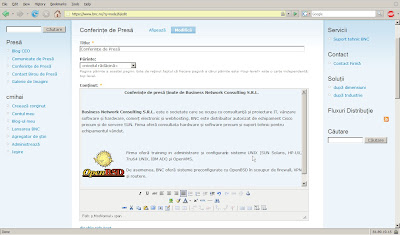


You can now configure Drupal and the various modules. Be sure to setup a backup schedule. You can use the Drupal database backup and restore module.

You can also install Apache mod_security for additional security:
% sudo pkg_add -vi modsecurity-apache
% sudo /usr/local/sbin/mod_security-enable
% sudo apachectl stop && sudo apachectl startssl

Make sure you read /usr/local/share/doc/mod_security/modsecurity-manual.pdf

You should also keep an eye on your webserver. For monitoring, I recommend top(1), vmstat, (8), sysctl hw, pftop and mytop.

% sudo pkg_add -vi mytop pftop
% sudo /usr/local/sbin/pftop

To use mytop you'll need a ~/.mytop file (and set proper permissions on it). You can add something like:

prompt=1
pass=
user=drupal
db=drupal
delay=5
port=3306
socket=
batchmode=0
header=1
color=1
idle=1

% mytop
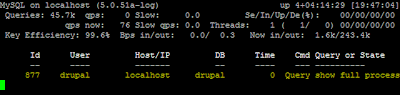

MyTOP in Action

You'll also want to setup Packet Filter. Read the PF User's Guide, pf.conf(5) and the example rulesets in /usr/share/pf/examples. Enable pf in /etc/rc.conf (pf=YES).

[1] Read chroot(2) ssl(8) afterboot(8), etc.

Thursday, May 01, 2008

Marian Vanghelie - Bucharest Mayor's Site hacked

Marian Vanghelie, mayor of Bucharest's personal website:


You see this sort of thing more and more these days..


And again, that's what people get for running something like Apache/2.0.51 (Fedora) PHP/4.4.7 mod_ssl/2.0.51 OpenSSL/0.9.7a and probably some ancient SQL with a badly coded website. Please, stop letting children write your website in PHP...

It also looks like it's been like this for quite some time... heh.

Wednesday, April 09, 2008

RE:Trace - DTrace based Vulnerability Auditing Framework

RE:Trace is a set of Ruby scripts that use DTrace for exploit development.

DTrace whitepaper here.

Sunday, April 06, 2008

OpenSSH - Secure Shell Server and Client for Windows

SSHWindows is a minimal Cygwin build of OpenSSH for Microsoft Windows systems. It's got both a client and a server, in a small package (~ 2MB).

Get Console 2 + Terminus if you need TABS :-). Works just like KDE Konsole or Gnome-Terminal + OpenSSH in any other UNIX or Linux system.

Friday, April 04, 2008

Disable or Enable NX bit in Vista via commandline

Data Execution Prevention (DEP) and the NX bit (No eXecute) CPU flag on AMD processors and XD eXecute Disable on Intel processors can be of great help in buffer overflow mitigation. Of course, it can also hinder other applications.

You can disable it in Vista by starting an Administrative cmd (right click cmd - Run As Administrator) and typing:

bcdedit /set nx alwaysoff
bcdedit /set {current} nx alwaysoff
BCDEdit can be used to enable or disable DEP, PAE and more.

You can also set DEP by right clicking My Computer - Properties - System Properties - Advanced System Settings - Performance - Data Execution Prevention.

Some applications don't work well unless they are selected as DEP exceptions (like Battle.NET via PVPGN or Hitachi HiTrack's JVM).

Tuesday, March 04, 2008

VPNC - Open Source client for Cisco VPN Contentrator

Got an ASA, a PIX or some other VPN Concentrator (or even Juniper NetScreen)? Well, you'll run into some troubles sooner or later. The Cisco VPN Client doesn't support 64 bit Windows clients, x86 Solaris clients and is just a pain to use on Linux.

VPNC doesn't require any kernel modules. Just put the IPSec gateway IP, IPSec ID, IPSec secret and XAuth username into /etc/vpnc/default.conf and start vpnc. It should work instantly :-). No fuss, no mess.

It will work just fine on Solaris, Linux, MacOS X or BSD machines. You can even get it running on your Windows box (Cygwin libs).

Monday, March 03, 2008

TrueCrypt now does pre-boot authentification

TrueCrypt is an open source on the fly (transparent) whole disk encryption software for Windows, Linux and MacOS that now supports pre-boot authentication on Windows. This means you can use this to replace PGPDisk or BitLocker.

It supports AES-256, Serpent and Twofish encryption, hidden volumes with two levels of plausible deniability and hidden volumes.

Saturday, March 01, 2008

Tunneling over ICMP, DNS, HTTP and HTTPS proxies

Stuck beyond a firewall, captive portal or proxy and need your ssh (or any other service)? Here's a few ways to tunnel out:

  • PTunnel - Tunnel TCP using ICMP echo request and reply packets (PING), includes authentication, allows for multiple connections.
  • Iodine - tunnel IPv4 data through a DNS server, allows for authentification.
  • NSTX - Tunneling network packets over DNS.
  • Corkscrew - tunneling SSH through HTTP proxies.
  • httptunnel - bidirectional virtual data connection tunnelled in HTTP requests.
  • gotthard - ssh through https proxy tunnel
I've already mentioned Shared Shell and such too :-).

Wednesday, February 20, 2008

Windows SteadyState - Free DeepFreeze alternative - now also for Vista

Microsoft Shared Computer Toolkit for Windows AKA Microsoft SteadyState helps manage shared computer systems for internet cafes, libraries, schools, etc. by preventing system changes (a reboot restores everything). It's very much similar to DeepFreeze.

It makes restricting computer access easy.

A SteadyState for Windows Vista version (2.5 beta) has also been released.

Thursday, February 14, 2008

IBM security report for 2007

Read this.

Monday, February 04, 2008

Cracking the Kensington MicroSaver lock with toilet paper

I've seen plenty of "rip out the Kensington" or using a pen / screwdriver to crack the lock, but this is just ridiculous...

Friday, February 01, 2008

Hibernation File Forensics

The Sandman Project is a C library that allows you to read the Windows hibernation file like a standard memory dump.

Sunday, January 27, 2008

And justice for all...

Looks like hackers strike again to deface a government page... Guess it doesn't matter what type of target you are. Even the "High Court of Cassation and Justice" has something to worry about.

Thursday, January 24, 2008

Vista Vulnerability Report

Security professional Jeff Jones published a Windows Vista security report for vulnerabilities between Nov. 2006 to Nov. 2007. It also does a side by side comparison with Windows XP, RedHat and Ubuntu Linux and MacOS 10.4.

It looks like the Microsoft security features, tools and approach are finally starting to pay off.

Jeff Jones was also the author of the (somewhat controversial) Internet Explorer versus Firefox report.

Anyway, before you start criticizing, look at the quoted sources (secunia, NIST, securityfocus, securitytracker, ubuntu security notices, rhel security notices, ms security bulletins, etc). The man has a point.

Tuesday, January 15, 2008

Most Oracle Admins don't patch security flaws

As of January 2005, Oracle provides Critical Patch Updates on Metalink every quarterly schedule to address significant security flaws and recommended updates (required for security fixes). So, how is this all working out? Well, see for yourself...

"Complexity of task makes admins not want to bother":
This research shows that "Two-thirds of Oracle DBAs don't apply security patches"

2/3? IMHO it's more like 9 out of.. 8.

""In fact, a good two-thirds of all Oracle DBAs appear not to be installing Oracle's security patches at all, no matter how critical the vulnerabilities may be, according to survey results from Sentrigo Inc., a Woburn, Mass.-based vendor of database security products.""

Monday, January 14, 2008

Windows Security Features, Securing Microsoft Products

Microsoft has become very security conscientious since that whole Code Red / Nimda business back in 2001. They've added features like Mandatory Integrity Control, Windows Service Hardening, User Account Control, BitLocker, Windows Firewall, Data Execution Prevention (DEP), ASLR (Address Space Layout Randomization), Signed Binaries and LKM (Loadable kernel modules), Windows Defender, Malicious Software Removal Tool, Microsoft Baseline Security Analyzer, Windows File Protection - WFP - and System File Checker - sfc.exe (just run sfc /scannow or /scanboot etc. to check and fix broken system files), Security Configuration Wizzard (scw) in Windows Server, etc.

Features that can easily compete with similar products in UNIX and *NIX systems, like chroots, jails (Windows Service Hardening), RBAC / su / sudo (UAC, MIC), GELI/GBDE GEOM classes on FreeBSD , crypto-loom/dmcrypt on Linux (BitLocker), IPF/IPFW/PF/IPTABLES (Windows Firewall Advanced Security -> wf.msc / WFAV in mmc), OpenBSD W^X, SSP, Linux PaX / Exec Shield (ASLR, DEP), IPSEC, Signed Binaries / LKMs, chkrootkit/RootKitHunder (Windows Defender, RootKitRevealer, StriderGhostBuster), Bastille (a UNIX hardening tool like Security Configuration Wizzard - SCW on Windows Server. Available for Linux, HP-UX, etc) and so on.

Even with development tools, GCC has ProPolice / SSP, Visual Studio has the /GS switch to protect against buffer overruns.

It's pretty clear, the security features are there, it's up to LAYER 8 (you!) to put it in practice.

The key idea here is *mitigation*. Don't abuse the Administrative accounts, read and apply those security guides and above all, use common sense. After all, Microsoft runs Windows on their servers (they even run 2008 while it's still in release candidate stage), and they're one of the biggest targets for abuse. There goes the argument that you "can't secure Windows".

Here's some links (they try to point to the more technical guides):

They have also started releasing some very good hardening guides:
Microsoft has also started it's own line of security products, with:


Internet explorer vs. Firefox shows it's not that peachy "on the other side" either. And the response time from both is fair.


What about the whole "open source" - many eyes concept?
Doesn't this mean Microsoft is horribly insecure? What about 3rd party code reviews?

That whole concept is highly overrated. 99% of open source users never seen a line of code in their lives. Simple as that. Just because you can install Ubuntu doesn't make you a kernel developer. Don't get me wrong, I love Open Source software, I'm just not rushing to make any claims about how the opens source development model adds security (remember, you can have a whole lot more malicious people look at the code then developers).

Anyway, Enterprise customers can still get access to Windows and other Microsoft sources through various Shared Source programs:

•Enterprise Source Licensing Program (ESLP)

"The ESLP allows eligible enterprise customers access to Microsoft Windows source code for internal development and support purposes, including debugging. This enables customers to develop and support their internally deployed applications and solutions that run on Windows."

Wednesday, January 09, 2008

VisualLogParser - A LogParser GUI - Parsing logs using SQL syntax

LogParser is an awesome Windows application for parsing through system logs (event viewer, Registry, Active Drectory, IIS, etc) using a somewhat SQL-like syntax. It can also generate detailed reports, graphs, etc. Also makes a nice starting point for various Data Mining operations on your logs.

VisualLogParser is a GUI for LogParser. It is available on Microsoft's Open Source project page, Codeplex.

Here is the discussion board for Visual LogParser.