Looks like IE 8 has a pretty neat feature called "Developer Tools". It's _very_ similar to Firebug:
Being able to import Firefox and Opera settings and adding quite a few of their features makes IE 8 pretty interesting.
Sunday, March 29, 2009
Firefox Firebug vs. Internet Explorer 8 Developer Tools

Friday, March 06, 2009

Tuesday, March 03, 2009
Deleting Flash10a.ocx after uninstalling / updating ActiveX Flash
When updating Flash it sometimes leaves some files behind you cannot delete, even though there is no lock on the file (handle, unlocker, whatever).
You need to unregister it using regsvr32:
regsvr32 "C:\Windows\SYSTEM32\Macromed\Flash\Flash10a.ocx" /u
Now you can update your Flash...
Thursday, February 19, 2009
Configure Firefox to perform DNS lookups via proxy
If you've configured a proxy in Firefox it still may leak DNS requests. Type in:
about:config
in the address bar, and look for:
network.proxy.socks_remote_dns
Friday, February 13, 2009
Epoch Fail!
Epoch time 1234567890 is approaching fast, don't miss it!
cmihai@phobos:/home/cmihai$ date +%s
1234549466
cron your scripts so you don't miss it!
Friday, February 06, 2009
UNIX colors and tools
Just opened a new package of colored chalk so I'll write on my blackboard :-).
Can't really have fun without:
- OpenSSH
- GNU screen
- KornShell 93, AWK, 1003.1 Shell & Utilities
- Emacs, ed
- Mutt
- Midnight Commander (mc)
- Elinks
- Terminus font (sure, it's not a tool, but it sure as hell helps , especially during those 20 hour debugging sessions).

256 colors _really_ do make quite a difference in Emacs (and vim) btw. Normal dtterm or xterm-color get you the first 8...

All you really need to do to get this working on AIX is to add a new TERMINFO entry (tic). You can easily grab the 256 color xterm with infocmp..
/usr/bin/tput colors
256

VIM looks pretty good too with a 256 color theme also (inkpot):

Friday, January 23, 2009
Ubuntu wtf number 1984
So, what's new THIS release of a "server" (read: we don't know much about all that stable ABI and API business, but hey, we make this stuff easier than before)
http://www.ubuntu.com/products/whatisubuntu/serveredition/techspecs/whatsnew
Oh yes, the new "select-editor" command. Indeed. Suggesting people to use $EDITOR? You're a poisonous person, get out of our community!
Select-editor command
Running the
sudo select-editor
command now allows you to pick which editor will be used by default to edit documents.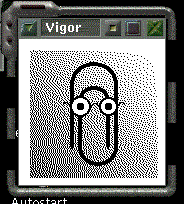
I mean, seriously. 6 months for a new "server" version and that's all they could come up with? Probably only has "nano, pico, joe, kedit, gedit and Vigor" as options anywho. And most likely depends on Python and GTK2.
This release also featuring the all improved one of a kind "Uncomplicated Firewall". Apparently it just has an "on/off" switch.
Sunday, January 18, 2009
Change Analysis Diagnostic tool for Windows XP
Here's a neat tool for digital forensics, reversing or malware analysis:
This tool allows you to track changes in:
- Software Programs
- Operating System Components (hotfixes and updates)
- Browser Helper Objects
- Drivers
- ActiveX Controls
- Autostart Extensibity Points
Thursday, January 15, 2009
Maximum login name lenght - Username too long in AIX 5.3
# useradd itssomeguy
3004-694 Error adding "itssomeguys" : Name is too long.
# getconf LOGIN_NAME_MAX
9
# lsattr −El sys0 −a max_logname
max_logname 9 Maximum login name length at boot time True
# chdev −l sys0 −a max_logname=18
sys0 changed
# reboot
Windows 2008 R2 Datacenter x64 Beta Hands on Preview
Windows 2008 R2 is also in the works.
Some major changes there it seems. The 2008 release was a bit rushed IMHO (Hyper-V still in Betas on release and so on).
And again, our new friends, the taskbar and the ribbon from Windows 7 are present:
Also comes with PowerShell v2.
Task manager, resource monitor and performance monitor got a few new additions also:
Overall, my first impression is a positive one. Seems pretty responsive also.
For some reason a lot changes withing the monitoring tools and taskmanager remind me of Mark Russinovich's Sysinternals tools.
Even trivial applications such as CALC got a new facelift and functionaly in Windows 7 and 2008 R2 . Like "Programmer mode" calc:
Even minor applications are getting a facelift. Paint gets ribboned too:
Subscribe to:
Posts (Atom)